
Anúncios
Recovering deleted WhatsApp messages is possible in most cases — but speed and the right tools are essential.
Whether the messages were deleted by accident or intentionally, here are the safest and most effective methods available in 2026.
1. Official WhatsApp Backups (The Most Reliable Method)
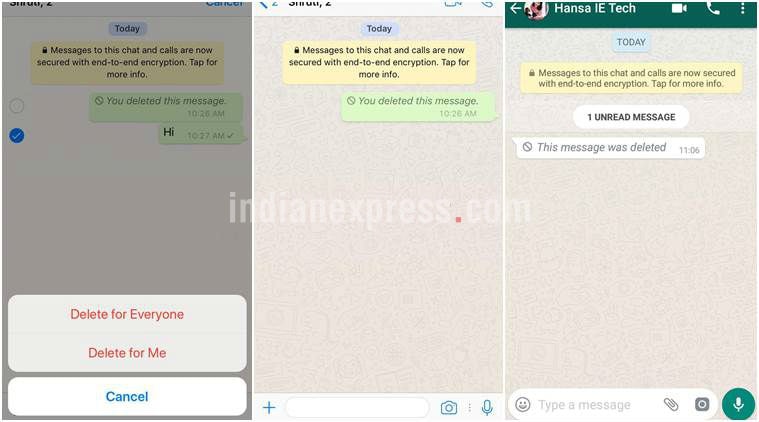
WhatsApp automatically saves your chats to the cloud. This remains the safest way to recover messages.
For Android (Google Drive):
- Open WhatsApp → Settings → Chats → Chat backup.
- Check the last backup date.
- Uninstall WhatsApp.
- Reinstall the app and verify your phone number.
- Tap Restore when prompted.
For iPhone (iCloud): Follow the same steps — WhatsApp will detect your iCloud backup automatically.
Pro Tip: Enable End-to-End Encrypted Backups (available in Settings) for extra security. This protects your chats even if someone gains access to your Google Drive or iCloud.
2. Notification History Recovery (No Backup Needed)
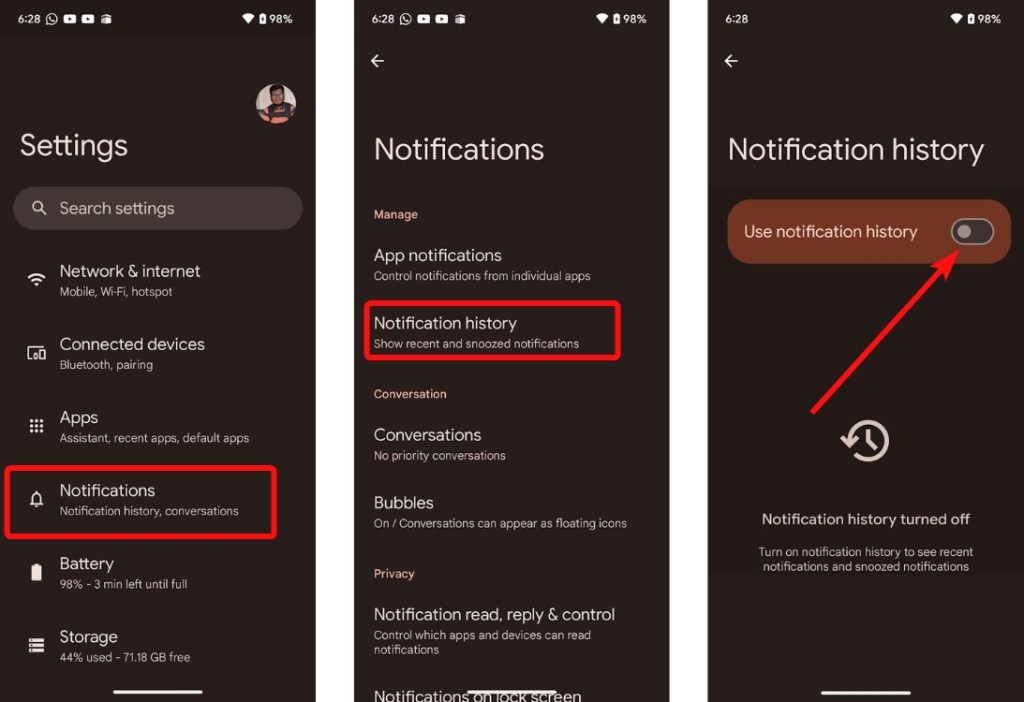
Even if a message was deleted seconds after being sent, it may still exist in your phone’s notification log.
Best Apps in 2026:
- WAMR (Android) — Most popular and reliable
- WhatsDeleted — Simple interface
- Notif Log or built-in Notification History (Android native)
- WhatisRemoved (for iOS)
These apps automatically save every notification, allowing you to read deleted messages and even view media that was removed.
3. Professional Recovery Tools (Advanced Recovery)
When backups are outdated or unavailable, these tools can scan your device deeply:
| Tool | Platform | Best For | Difficulty | Cost |
|---|---|---|---|---|
| Tenorshare UltData | iOS & Android | Deep scan without backup | Easy | Paid |
| Dr.Fone | Both | Media & attachment recovery | Medium | Paid |
| iMyFone ChatsBack | Both | Full chat restoration | Easy | Paid |
| Gbyte Recovery | iOS | iCloud & iTunes backups | Medium | Paid |
Important: Always download from official websites and never share your WhatsApp verification code.
4. Manual Recovery Techniques
- Android File Manager: Check the WhatsApp/Databases and WhatsApp/Media folders for old cache files.
- Google Drive Manual Restore: Access drive.google.com → find WhatsApp backups → download and restore.
- Linked Devices: Sometimes messages remain visible longer on WhatsApp Web or Desktop version.
- Export Chat History: For important conversations, regularly export chats with media (Settings → Chats → Export chat).

Prevention Tips (Best Long-Term Strategy)
- Turn on daily automatic backups
- Enable notification history immediately
- Use disappearing messages carefully
- Export important chats monthly
- Avoid third-party modified WhatsApp apps (they can cause permanent bans)
Conclusion
Recovering deleted WhatsApp messages is easier than most people think when you combine official backups, notification tools, and preventive habits. While no method guarantees 100% recovery of every message, acting quickly dramatically increases your chances.
The key is preparation: enable backups and notification history today so you’re never caught off guard tomorrow. By using trusted tools and respecting privacy, you can keep your important conversations safe and under control.
Stay protected, back up regularly, and you’ll always have a safety net.