
Anúncios
In our hyper-connected world, WhatsApp remains the go-to messaging app for over 2 billion users worldwide.
From casual family conversations to important business negotiations, it has become the central hub for daily communication.
However, when messages suddenly disappear without any explanation, it can create doubt, confusion, and even damage trust in relationships. Learning to identify the signs of deleted messages is essential to protect your information and act before it’s too late.

Common Red Flags That Someone Is Deleting Messages
- Disappearing Notifications You receive a notification preview on your lock screen or status bar, but when you open WhatsApp, the message is nowhere to be found. This is one of the clearest signs that the sender deleted the message shortly after sending it.
- Conversations That Suddenly Feel Out of Context Replies mention things you never saw, or in group chats, people react to messages that no longer exist. The natural flow of the conversation breaks, leaving awkward gaps.
- Missing Media and Files Photos, videos, voice notes, or documents that were visible moments ago suddenly vanish. You may still see loading thumbnails or outdated entries in the media gallery with inconsistent timestamps.
- Behavioral Changes in the Chat The person appears “online,” types, then quickly goes offline. They may also open and close the chat repeatedly — classic signs of checking and deleting content.
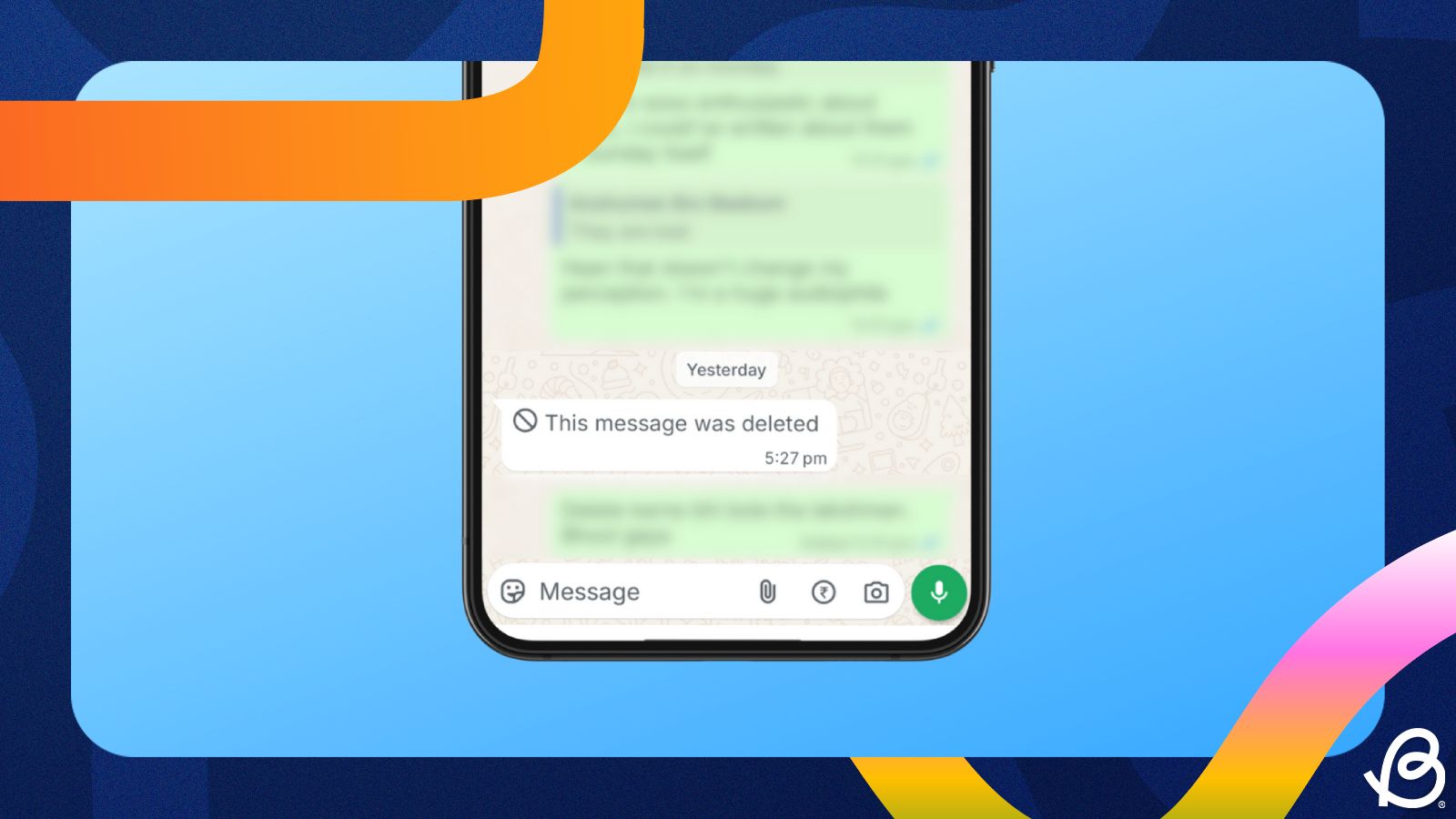
- “This Message Was Deleted” Placeholder The most obvious indicator. WhatsApp displays this text when someone uses the “Delete for Everyone” feature.
Pro Tip: Enable Notification History on your Android device immediately — it is one of the most effective defenses against fast deletions.
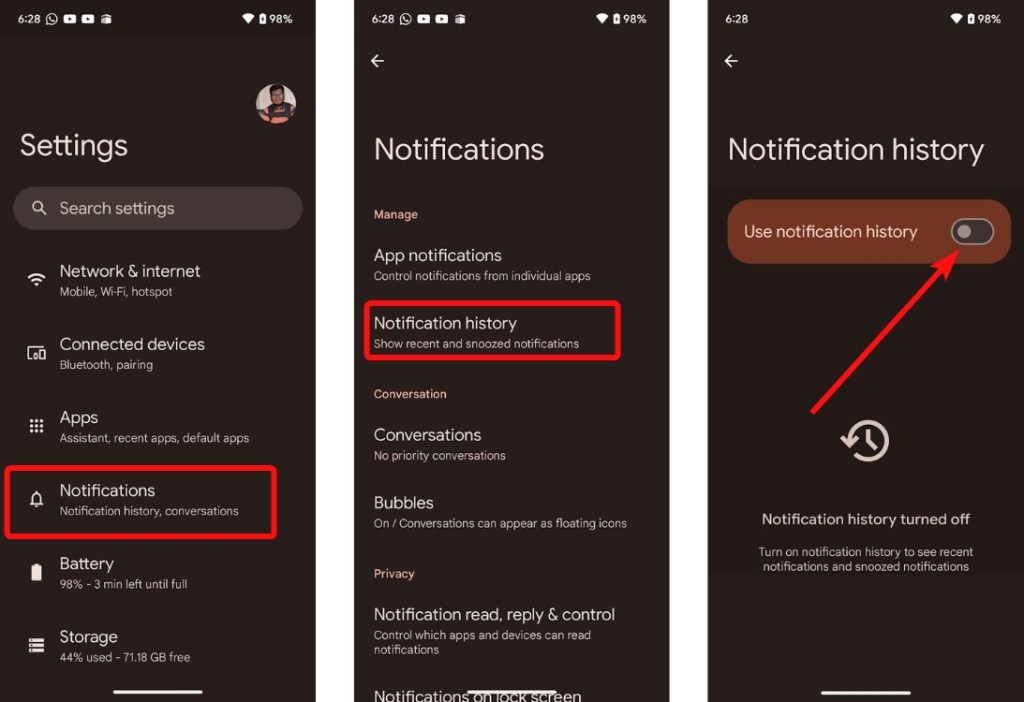

How to Check Notification History on Android (2026)
- Go to Settings > Notifications > Notification history.
- Toggle on “Use notification history”.
- Return to this menu anytime to view all past WhatsApp notifications, including many that were later deleted.
iPhone users can check the Notification Center history or use Spotlight search with relevant keywords.
Advanced Signs & Technical Clues
- Open the chat, tap the contact or group name at the top, and scroll to Media, links, and docs. Gaps or fewer items than expected are strong evidence of deletions.
- Watch for timestamp jumps in the chat history.
- Check Linked Devices (WhatsApp Web or Desktop) — deletions sometimes take longer to sync, leaving temporary traces.
Conclusion
Deleted messages on WhatsApp can be frustrating and concerning, but by staying alert to these signs and using the right tools, you can significantly reduce their impact. Enabling notification history, maintaining regular backups, and understanding the app’s behavior gives you greater control over your conversations. Whether you’re protecting important business details, preserving family memories, or simply maintaining transparency in your relationships, knowledge is your strongest ally.
Acting quickly and preparing in advance ensures that you stay one step ahead. Remember: the best defense against deleted messages is prevention and awareness.