Anúncios
Video interviews have become a key part in hiring. They gained popularity fast after the COVID-19 pandemic started. This change affected what recruiters expect.
There are many ways to do a virtual interview. These methods include live interviews on platforms like Zoom, Microsoft Teams, and Google Meet. There are also one-way recorded assessments.
Getting ready for a video interview means checking your tech, ensuring good lighting and camera placement. Also, it means rehearsing your answers to show you’re a pro.
Online video interviews let you share your tone, body language, and how you solve problems. This is in addition to what’s on your resume and phone interviews.
Start by making sure your device, webcam, and mic are working. Also, update Chrome or Firefox for the best experience on the interview platform.
Find a quiet place with good lighting and a simple background. Put the camera a bit above your eyes. Also, sit up straight.
Do a full practice run on the actual platform you’ll be using for the interview. Shut down any apps you don’t need to lessen your computer’s work. And, if possible, use a wired connection or a strong Wi-Fi signal.
Get your STAR (Situation, Task, Action, Result) stories ready. Practice making eye contact with the camera for a digital handshake. Remember to dress professionally, from top to bottom.
Understanding the Concept: Old Way vs New Way of Interviewing
The way companies hire has shifted. Before, candidates went to offices for interviews. This meant syncing multiple schedules and limiting which team members could attend. Judgments were based on in-person meetings and brief phone calls.
Now, the approach includes video interviews and one-way recordings, erasing location barriers. Companies like Google and Microsoft check responses at different times. They watch recorded answers to spot qualities that a resume can’t show.
Platforms like Zoom and Microsoft Teams allow live discussions and immediate follow-up questions. Pre-recorded options give candidates a chance to present perfected answers. Both need the same tech setup and presentation effort.
Setting up the right camera angle, good lighting, and a quiet space matters more now. Companies look for technical smoothness, clear sound, and no distractions. Following smart video interview advice can really help show off your abilities and how you fit the job.
| Aspect | Old Way (In-Person) | New Way (Remote and Recorded) |
|---|---|---|
| Scheduling | Fixed office times; travel required | Flexible slots; asynchronous review possible |
| Interviewer reach | Limited to local teams | Broader panels across locations |
| Evaluation cues | Body language, handshake, in-person presence | Facial expressions, vocal tone, framed on-screen presence |
| Tools | Conference rooms, printed materials | Zoom, Microsoft Teams, recorded platforms |
| Preparation focus | Travel logistics and interview rehearsals | Tech checks, camera setup, video interview tips |
Workflow: Step-by-step process for video interview preparation
First, find out if your interview will be live or recorded. Find out what platform it will be on, like Zoom, Microsoft Teams, or Google Meet. Make sure to read the instructions carefully, especially about how much time you have and any retry options.
Pick a good computer. A laptop is best because it stays in place and won’t run out of power. Make sure your camera and mic are working. Try out a headset if you can. Use a wired internet connection if possible.
Make sure you have the right browser or app ready. Chrome or Firefox usually work best. If using Zoom or Teams, download their apps. Close any apps you don’t need and turn off alerts to keep things quiet.
Use the platform’s tools to check your camera, mic, and internet speed. If there are problems, restart your computer. Also, check how fast things are uploading and downloading if you can.
Get the lighting right so you can be seen clearly. Put the camera a bit higher than your eyes. Keep some space between you and the wall to make it look better.
Wear professional clothes from head to toe. Check how you look on camera. Make a short test video to see how your outfit looks under the lights.
Get good at answering questions by practicing the STAR method. Do a pretend video interview, record it, and watch it. Look for things like how fast you talk, if you make eye contact, and if you use filler words.
Think of some questions to ask during the interview. Also, prepare a short intro for yourself. Practice to make sure your answers are not too long.
Tell everyone at home when you’ll have your interview to avoid interruptions. Have a backup plan, like a phone or another link, just in case there are tech issues.
Log in a few minutes early to double-check your setup. Make a great first impression with steady eye contact, clear sound, and a quick hello.
Send a thank-you note within a day after the interview. Look over your practice and actual interview videos. Use what you learn to do better next time.
Key Options: Comparison of top video interview platforms
Recruiters and candidates pick from two kinds of video job interviews: live meetings and one-way, pre-recorded formats. Live platforms like Zoom, Microsoft Teams, and Google Meet allow immediate interaction with built-in recording options. Then, there are one-way services like HireVue and Spark Hire. They let candidates record answers whenever they can, which the hiring team reviews later.
Always check the video chat app or website before the interview. Make sure everything is up to date and that your camera, microphone, and internet work well. Share contact details in case you run into tech problems during a live interview.
Know how to use the tech tools for your interview. On Zoom, learn how to mute and unmute. On Teams, try out sharing your screen. On Google Meet, make sure you can pick the right camera. If using a one-way platform, practice to keep your answers short and clear.
| Platform Type | Common Brands | Best Use Case | Notable Strength |
|---|---|---|---|
| Live meeting | Zoom, Microsoft Teams, Google Meet | Panel interviews, realtime discussion | Immediate interaction and live clarification |
| One-way / pre-recorded | HireVue, Spark Hire | Initial screening, high-volume hiring | Scalable review and consistent question delivery |
| Hybrid | Greenhouse with integrated video, Lever integrations | Structured hiring workflows with optional live follow-up | Recruiter-centric tracking and evaluation tools |
| Candidate-focused tools | VidCruiter, Breezy HR | Improving candidate experience and scheduling | Automated scheduling and user-friendly interfaces |
Choose the video interview software that fits your needs. If it’s for a big panel, go with a live service. If you need to screen many people, one-way platforms are faster. For a well-organized hiring process, hybrid tools with good system links work best.
Simple improvements can make a big difference. Using an extra webcam, a solid internet connection, and a quiet space helps a lot. Practicing with the video interview software can ease your worries and avoid unexpected problems.
Hardware and Software Requirements for Reliable Video Interviews
Choosing the right hardware and software is key. It can make your interview go smoothly or fill it with distractions. Make sure your setup, connection, and controls are all good. This way, you’ll feel ready when the interview starts.
Recommended devices
A laptop gives you the best view and helps you sit right. Laptops have better camera angles and screen sizes for long talks, compared to phones or tablets.
If you prefer desktops, pair it with an external webcam like a Logitech Brio. These cameras usually beat the ones built into computers. They’re sharper and better in dim light.
For clearer sound, go for a USB headset or a condenser microphone. Brands like Sennheiser or Jabra cut down on echo. They’re great at keeping outside noise out during interviews.
Browser and app best practices
Choose Chrome or Firefox and keep it up to date. If you’re using Zoom or Microsoft Teams, download the app. Make sure it’s the latest version before your interview.
Shut down apps you don’t need and silence those notifications. This helps your computer and internet run faster. Make sure you know how to mute, turn off your camera, and share your screen before your interview.
Always go for a wired connection if you can. But if you need Wi‑Fi, stay close to your router. Make sure you’re on a private network. Avoid public Wi-Fi to keep your interview smooth and safe.
Pre-interview Tech Checks and Troubleshooting
Check your camera, microphone, and internet using platform diagnostic tools ahead of time. Platforms like Zoom, Microsoft Teams, and Google Meet offer tests for video and internet. This reduces pre-interview stress by solving common issues early.
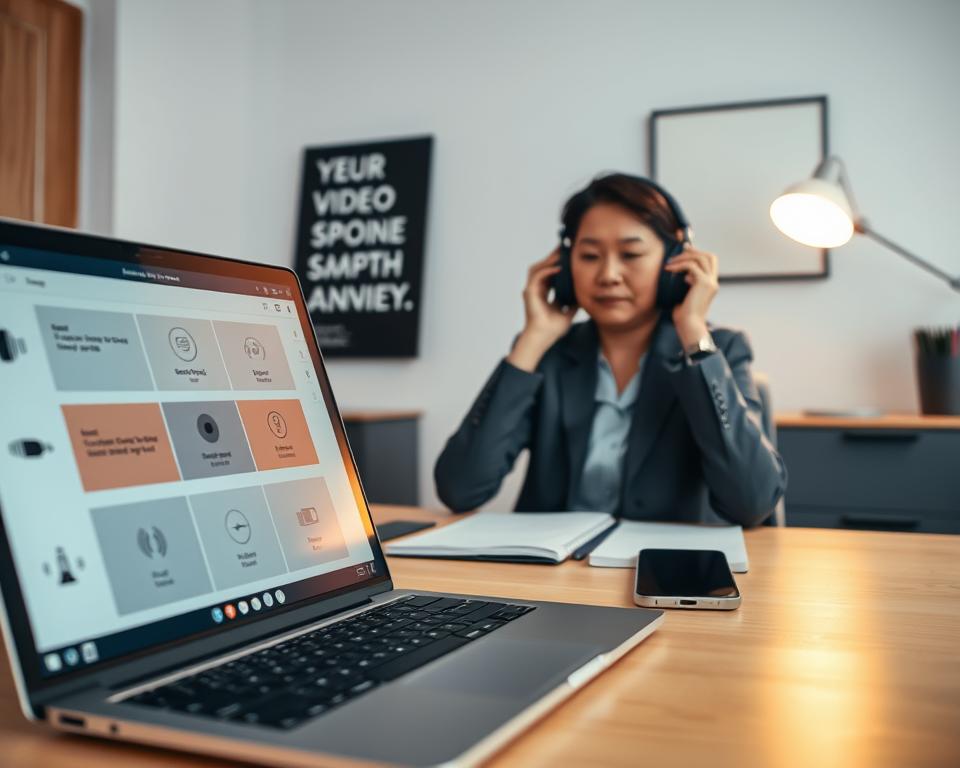
Ensure your internet speed is fast and limit other users on your network. An Ethernet cable is more reliable than Wi-Fi. If Wi-Fi is your only option, be close to your router and stop any large downloads on other devices during your interview.
Update your computer and video call apps one day before the interview. Make sure your webcam and headset work with the application you will be using. This confirms that everything, from drivers to camera setup, is ready to go.
Diagnostic checklist
- Run the platform’s built-in camera and mic test.
- Check internet speed at speedtest.net; aim for 5 Mbps upload.
- Confirm webcam angle, lighting, and background on camera preview.
- Mute notifications and close unnecessary applications to free CPU and bandwidth.
- Have a charged headset and a backup charging cable ready.
- Exchange a contact method with the interviewer before the call.
Contingency plans
Have a backup plan in case you run into issues. Keep the interviewer’s contact information handy. Also, have an alternate way to join the meeting ready.
If your internet goes down, use your phone’s data or find a new location with good internet. Tell the interviewer right away if you need to switch methods or reschedule. If there’s a problem with the platform, get in touch through their support.
Do a last check 15 minutes before your interview. This makes sure you won’t be surprised by tech issues. Being prepared with these steps makes you confident during the video interview.
Lighting, Framing, and Background Best Practices
Good visuals begin with proper lighting. Soft, even light keeps your face looking natural. Try to face a window or use two lamps at the front and sides. Backlighting can make you look like a shadow, so avoid it. Lights should be above the camera to soften shadows.
Lighting setup
Check your lighting on your call platform before starting. Adjust lamps to light your face well and make sure your eyes are visible. Use diffused bulbs or a softbox for a nicer effect. Be mindful of eyeglass glare and tweak lamp angles to reduce it.
Camera positioning and framing
Keep your camera at eye level or a bit higher. This makes your gaze look natural. Your shoulders should be centered with a bit of space above your head. Stand two feet from your background to lessen shadows and add depth. Including your shoulders and upper chest makes you look more professional.
Background selection
Pick a background that’s simple and clutter-free. Tidy up, removing clothes, mirrors, or busy art. For virtual backgrounds, choose something professional and check its appearance in your video platform. Also, avoid wearing shiny accessories that can distract viewers.
| Element | Quick Fix | Pro Tip |
|---|---|---|
| Lighting | Face a window or use two lamps | Use soft, diffused bulbs and place lights slightly above camera |
| Camera framing | Position camera at eye level | Include shoulders and upper chest; allow headroom and two feet to background |
| Background | Clear clutter and use neutral wall | Test virtual backgrounds for stable masking and avoid reflective items |
| Glare & reflections | Remove shiny jewelry and tilt glasses | Adjust light angle or use polarizing filters on lights or monitor |
| Final check | Run a one-minute test recording | Review recording for camera framing, lighting for video interview, and background for virtual interview issues |
Practice these tips with a mock call on Zoom or Microsoft Teams. Adjusting your lighting and camera setup can make you seem more professional. A simple background helps viewers focus on what you’re saying.
Behavioral and Communication Techniques for Virtual Interviews
In virtual interviews, how you behave and communicate is key. Start calmly to show what to expect. Let them know beforehand about any possible interruptions. Also, smiling and greeting them while looking into the camera can make a great first impression. These small actions build a good connection right from the start.
Body language
Stand tall and keep your feet on the ground to show confidence. Make sure your body faces the camera but don’t lean back. When you answer questions, looking into the camera feels like eye contact. This makes you seem more present, even though you’re not in the same room.
Vocal delivery
Talk clearly and not too fast so they can write notes. Change your tone to express excitement, and slow down when you mention details like numbers or names. Rehearse your answers aloud to avoid pauses and give sharp, clear examples in your interview.
Handling interruptions
Turn off your mic when it’s not your turn to avoid background noise. If something interrupts you, say sorry quickly, handle it, and get back to the interview. If you can, tell the interviewer at the start that interruptions might happen. This keeps things real.
Instead of always saying “yes” or “uh-huh,” use nods and smiles to keep engaged without causing sound issues. Shut doors and tell your family when your interview is. But also let the interviewer know you’re aware interruptions may occur. This shows you’re professional and respectful.
| Area | Practical Tip | Why It Helps |
|---|---|---|
| Posture | Sit upright, shoulders back, feet grounded | Projects confidence and reduces fidgeting on camera |
| Eye Contact | Look into the camera during key points | Simulates in-person engagement for better connection |
| Voice | Speak clearly, moderate pace, vary tone | Improves comprehension and displays enthusiasm |
| Answer Structure | Use concise STAR format with a closing summary | Keeps responses focused and signals the end cleanly |
| Interruptions | Mute when idle, apologize and refocus if interrupted | Makes the call smoother and shows respect for time |
| Rapport | Begin with a brief greeting and a “digital handshake” | Builds immediate rapport and eases conversation flow |
What to Wear and On-Camera Presentation
First impressions are quick during a virtual interview. Make sure your outfit looks neat on screen and suits the company culture. Wear clothes a bit nicer than the usual dress code, in simple colors like navy or gray. This way, people focus on you, not your clothes.
Clothing recommendations
Pick solid fabric clothes to avoid weird patterns on screen. Avoid tight stripes or loud prints, as they can look odd on camera. Choose a professional yet comfy blazer from Brooks Brothers or J.Crew. Make sure your outfit looks good in the app and light you’ll use for your interview.
Grooming and accessories
Style your hair and makeup simply to look good in soft light. Wear only small jewelry, like thin necklaces or tiny earrings, to limit glare. If you use glasses, adjust lighting and your glasses angle to avoid shine. Always dress fully for the interview, in case you need to stand up.
For a great on-camera look, make sure your outfit fits well in the camera view. Sit at the right distance to show your outfit properly. Straighten your posture and choose a plain background to look more professional in your virtual interview.
Efficiency and Measurable Advantages of Video Interviewing
Video interviewing has changed how we hire. It’s moved us from the old, slow ways to faster, measurable methods. Companies like LinkedIn and Gartner have seen a big increase in virtual interviews. They report benefits like hiring faster and reaching more people. This makes video interviewing work better for everyone involved.
Recruiter and candidate efficiency
Recorded interviews make scheduling easier. Places like Microsoft can look at interviews when it fits their schedule. This cuts down on live interviews. Candidates like it because they can interview from anywhere. They don’t have to travel over and over.
Data-driven benefits
Interview platforms offer useful tools like transcripts and analytics. Recruiters can see how many people finish interviews and how they respond. This helps compare candidates quickly and fairly.
Tips to maximize efficiency
Keep your answers short and to the point with the STAR method. Use features like screen sharing and recording to back up what you say. Show up early and check your tech to make sure everything runs smoothly.
| Area | Practical Advantage | How to Use |
|---|---|---|
| Scheduling | Fewer conflicts, faster candidate throughput | Prefer asynchronous slots and allow multiple reviewers |
| Evaluation | Consistent scoring through transcripts and time stamps | Use transcript search to find key examples and calibrate rubrics |
| Talent reach | Access to candidates beyond local markets | Offer flexible interview times and clear instructions for remote access |
| Time-to-hire | Shorter cycles due to fewer live loops | Combine pre-recorded screens with targeted live interviews |
| Platform features | Recording, transcript, and analytics speed decisions | Choose best video interview software that supports these features |
Final summary and next steps
First, figure out if the interview is live or a one-way recording. For live interviews, use platforms like Zoom, Microsoft Teams, or Google Meet. If it’s a one-way assessment, try HireVue or Spark Hire. Make sure to update your Chrome or Firefox browser. Test an external camera and headset. Also, close any apps you don’t need to keep your internet strong.
Do a full tech check the day before your interview. Check again a few minutes before your interview starts. It’s best to use a laptop so you look better on camera. If you can, use a wired internet connection. Also, have a phone or hotspot ready just in case.
Practice answering questions using the STAR method in a practice interview. It’s also a good idea to rehearse your introduction to feel more confident.
On the day of the interview, log in early. Do one last check of your tech. Take a moment to relax and breathe deeply. Start the interview with good eye contact, a nod, and a smile. Think of it like a handshake, but online. Afterward, send a thank-you note within a day. Then, think about how you did to get better for next time.