
Anúncios
The App Store has been a go-to place to find and download apps for over ten years, focusing on privacy and quality.
Apple combines human editor reviews with computer-generated suggestions to quickly lead users to the best apps.
The platform reaches over two billion devices. It supports apps that work everywhere, offers previews, and has detailed pages. This helps users feel sure about their downloads.
It also offers extra security through two-factor authentication and Face ID. Plus, editorial Stories help users discover new apps and build trust.
Anúncios
Since its start in July 2008 with 500 apps, the App Store now has nearly two million. These cover a range of Apple platforms like iOS and tvOS.
Developers use Apple’s tools, Xcode and the iOS SDK, to create apps. Joining the Apple Developer Program is needed to distribute apps.
The store now includes search ads, ways for developers to reply to reviews, pre-orders, Apple Arcade, and more. These features help people find what they want.
Changes have been made in response to regulatory concerns, involving payments and other app stores. Nevertheless, Apple has paid developers over $320 billion by 2023.
Understanding the Concept: Old Way vs New Way in App Distribution
Anúncios
Before 2008, getting iPhone apps to users was tricky. Developers used web apps or jailbreaking, meaning they had to hack the device. Discovery was through niche blogs, forums, and friends, which was not efficient. Installing apps was complex and technical.
Then, on March 6, 2008, Apple introduced a software development kit. By July 10, the App Store launched, revolutionizing app distribution. It offered a single place for app listings, reviews, and updates. This gave developers a straightforward way to submit apps and users a better place to find them.
App discovery transformed, moving to a system with searchable, rich listings and editorial insights. Features like the Today tab, curated Collections, video previews, and search suggestions made finding apps easier. Search ads also became a new way to highlight apps.
How apps made money changed too. The early days saw one-time purchases or informal payments within jailbreak groups. Now, we have a range of options like free, freemium, in-app purchases, and subscriptions. Initiatives like the Small Business Program offer developers stable financial models.
The App Store introduced stronger security measures. There’s a formal review process and privacy checks to keep user data safe. They also block illegal installs and banned data-scraping apps. This raised the safety standards for all users.
Apple continued to add features to help developers and users alike. The ability for developers to reply to reviews, pre-order options, and Apple Arcade improved the ecosystem. Features like Sign in with Apple and unlisted apps offer more ways to distribute apps, showing a clear evolution from android app store practices.
Workflow: How to Find, Download, and Manage Apps on the App Store
Start by opening the App Store. Look under Today, Games, Apps, or Search tabs to explore. There, you’ll find suggestions and collections that are spotlighted.
Editorial Stories and Collections get updated every day. They bring you the latest in tools for work, money management, and fun.
Use the search bar and Apple’s hints to narrow your search fast. You’ll see videos, stories, tips, and lists in the search results. These can help you learn about an app before visiting its page.
On an app’s page, check out videos, screenshots, and user feedback. Look at the age rating and privacy details to know how it uses data. Be mindful of in-app events and what permissions the app asks for.
To download an app, hit Get or the price shown, then verify with your Apple ID or Face ID/Touch ID. Your payment method on file is used for purchases. To keep your account safe, two-factor authentication is required. For apps not listed yet or pre-orders, follow any steps shown or use provided links.
In your Apple account settings, you can manage your apps. See and cancel subscriptions here. Change how you pay or get help with refunds through Apple Support or using the Report a Problem link. Turn on automatic downloads to have apps on all your devices, like iPhone, iPad, and Mac.
Always update your apps for the best performance and newest features. Frequent updates and keeping an eye on reviews keep the App Store safe and enjoyable for finding and downloading apps.
Key Options: Comparison of App Store Tools and Services
Apple’s app store combines different tools into one spot. It includes editorial picks, ads, review checks, tools for developers, and details about apps. Each part helps with a different step of what users go through, from finding out about an app to keeping it.
The App Store showcases apps in a special way on the Today tab. It uses Stories and Collections to talk about new apps. This way, standout apps get noticed more.
Search ads have two ways to help: Basic and Advanced. The Basic plan means simple ad payment, while Advanced lets you bid per click. This helps advertisers find the right people easily.
The App Store Review checks apps for safety, keeping users safe. This review makes people feel better about downloading an app.
App Store Connect is a main spot for developers. Here, developers can upload their app, set it up for pre-orders, and check how it’s doing. This helps them make better decisions.
Product pages give users all the info they need. Things like videos, reviews, and privacy details help explain what the app does. This helps people decide to download it.
In-app events spotlight special activities in apps. Events like game launches or special moments are highlighted. They’re shown in different parts of the App Store to catch users’ attention again.
| Name | Role | Main Benefit |
|---|---|---|
| App Store editorial (Today tab & Collections) | Curated discovery and storytelling | Boosts visibility via editorial features and curated lists handpicked by Apple’s editors |
| Search Ads (Basic & Advanced) | Paid user acquisition via keyword ads | Improves App Store search placement and installs with controllable budgets and targeting |
| App Store Review | Security and policy enforcement | Ensures apps meet privacy, safety, and quality standards for user trust |
| App Store Connect | Developer submission and analytics | Manages app submissions, metadata, releases, and performance reports |
| App Store product pages | User decision information hub | Provides videos, ratings, reviews, and privacy labels to inform downloads |
| In‑app events | Promote live app activity | Highlights time‑sensitive content like launches, tournaments, or premieres |
When we compare these tools, it shows where teams should spend time and money. Editorial spots are great for telling stories about your brand. Search ads make your app show up for the right searches.
App Store Connect handles the behind-the-scenes work for app releases. Meanwhile, product pages and in-app events help turn browsers into users. The App Store Review makes sure every app is safe and respects privacy.
app store Search and Optimization Best Practices
To succeed in app store optimization, make a plan that looks at keywords, visuals, and how users feel. Aim for steps you can measure to boost your app’s visibility and ranking over time. Make small changes and test to see what works best.
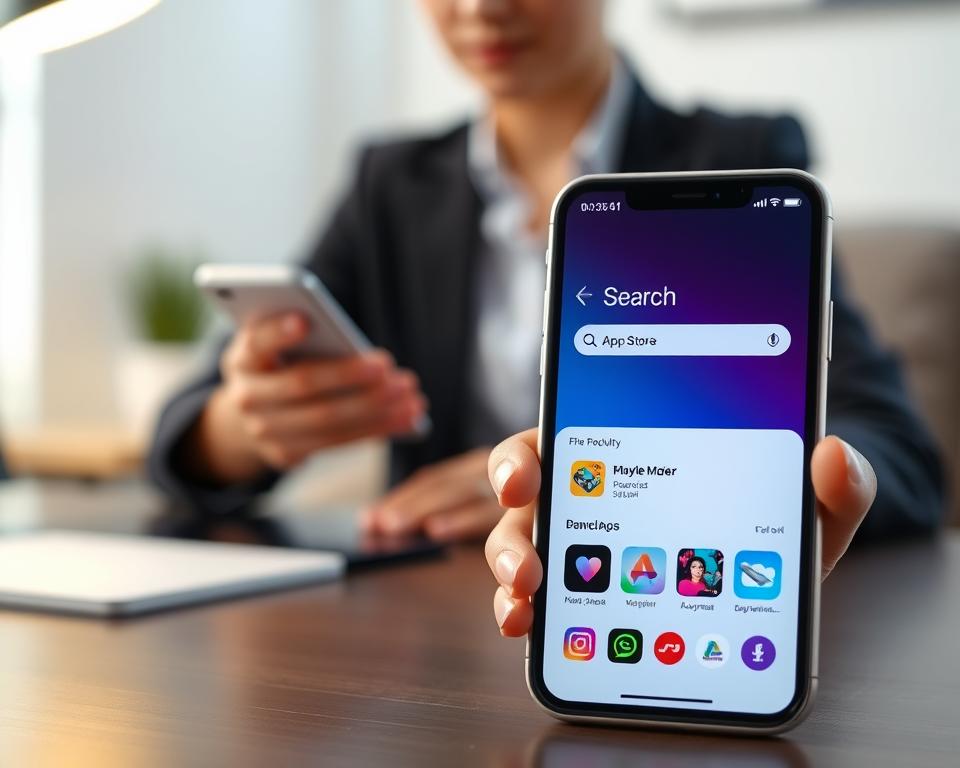
Keyword research and placement
Begin by looking at what Apple suggests and comparing with competitors to pick valuable keywords. Put these terms in your app name, subtitle, and promo text without overdoing it. Watch how each keyword performs to make your list better as time goes on.
Consider region-specific terms to better connect with users. Using local terms helps your app stand out in different places and boosts your app’s search results.
Creative assets that convert
Great screenshots and short videos can really make your app stand out. Showcase main features and use tech like Face ID or AR to draw people in. Make sure your call to action is clear.
Tweak your images and text for different regions. Even small changes can lead to more app downloads, which then helps your app rank higher.
Ratings, reviews, and retention
Ask for honest reviews and answer any feedback through the developer’s reply section. Getting good ratings from happy users makes your app seem more trustworthy. This also tells Apple your app is high-quality.
Work on making starting with your app easy and keep it updated to keep users interested. Staying relevant helps more people find your app. Ads and editorials can also get you noticed at the beginning.
Security, Privacy, and Trust on the App Store
Apple’s app ecosystem is based on clear rules and multi-level protections. These aspects build trust among users and developers. A combination of human review, platform controls, and privacy signs help users choose apps safely.
The App Review process has trained reviewers to inspect apps. They check apps for malware, unsafe content, policy breaches, and age suitability. Apps that risk children’s safety or falsely advertise can get rejected.
Apps need to ask users before accessing personal data like location or contacts. System protections also limit how apps can use data. This enhances security and lets users control their privacy more.
Users get extra safety features like two-factor authentication for their Apple ID. They also see clear privacy labels that show what data an app will collect. Users can easily report issues, and Apple Support handles refunds and disputes. The close connection between hardware and software stops apps from misusing data or changing the system, making the App Store more secure.
Efficiency: Data-Backed Advantages of Using Apple’s App Store
The App Store offers clear benefits for both developers and users. Its vast reach and unified system make it easy to release and update apps quickly. This setup is great for those looking to get their apps out fast and reach many users.
Reaching a wide audience is key. Apple’s platform connects with over 2.35 billion devices around the globe. This means apps can easily be available everywhere, download smoothly, and show up on all Apple devices if they’re made for it. With such coverage, developers can confidently plan to launch their apps across different Apple devices.
How much money apps make is crucial for their success. Up to now, the App Store has paid developers over $320 billion. Features like subscriptions and special programs help set pricing and predict earnings. This support is vital for making money in the App Store, no matter the size of the developer.
It’s getting easier to find apps thanks to editorial content and ads. Highlights, themed collections, and special promotions draw attention to apps. Also, engaging with users and offering apps for pre-order can boost downloads and keep users coming back.
Streamlined operations offer significant benefits. Submitting apps, reading analytics, and handling payments are all simplified. This lets teams spend more time improving the app and growing their user base, thus boosting overall efficiency on the App Store.
Making the right choices can lead to better results. Pricing and promoting apps in line with Apple’s platform can improve sales and feedback. These successes help with future strategies for app releases, aiming for better sales and visibility.
Developer Considerations: Submission, Monetization, and Compliance
To get your app on Apple’s marketplace, start by joining the Apple Developer Program. This gives you access to tools like Xcode, the iOS SDK, TestFlight, and App Store Connect. Through App Store Connect, you can handle your app’s metadata, previews, builds, and when to release them. Making your app store submission clear can reduce review times, helping your app launch sooner.
Picking the right way to make money with your app is key. You can choose from free, paid, freemium, in-app purchases, subscriptions, and paymium models. Remember, Apple’s rules on sharing revenue might influence your plans. For smaller developers, Apple’s Small Business Program offers a lower commission if you make under $1 million a year.
Laws and Apple’s rules are important to follow. For example, Apple now requires “Sign in with Apple” for some third-party logins and allows apps to be unlisted. Changes in the EU now let users download apps from other places and not just the App Store. These changes mean you have to think carefully about how you handle payments and explain user agreements.
Before you submit your app, make sure to:
- Make sure you’re enrolled and can access App Store Connect.
- Test your app with TestFlight and look for any issues.
- Get your metadata and age ratings right.
- Check your in-app purchase items and how long subscriptions last.
Compliance and how you make money can affect your app’s ranking in the store. Having clear metadata, descriptions in different languages, and quick loading times helps more people find your app. Using subscriptions well and quickly fixing any issues pointed out in reviews helps keep your app in good standing and can lead to more downloads.
It’s crucial to keep up with changes in policies and legal matters. Major cases like Epic Games versus Apple and decisions by regulators like the ACM in the Netherlands have led to changes in how payments can be handled and how you can link outside the App Store. By staying informed, you can adjust your prices and how you get consent from users without upsetting them.
| Area | What to Do | Impact on Launch |
|---|---|---|
| Enrollment & Tools | Join Apple Developer Program; configure App Store Connect and TestFlight | Essential for app store submission; prevents technical rejections |
| Monetization Model | Pick free, freemium, paid, in-app purchases, or subscriptions; set pricing and trial rules | Shapes revenue forecasts and user acquisition strategy |
| Revenue Share | Check Small Business Program eligibility; plan for subscription splits | Alters net revenue and long-term sustainability |
| Policy Compliance | Follow app store policy on payments, privacy, and sign-in options | Reduces risk of removal or forced updates |
| Regulatory Readiness | Track regional rules like EU third-party store changes; update flows | Enables wider distribution and avoids fines |
| Discoverability | Optimize metadata, visuals, and user reviews | Improves app store ranking and organic installs |
User Options: Choosing the Best App Store Experience on Apple Devices
Choosing the right app starts with knowing key features. Apple’s Stories, Collections, and top charts help find good apps. Search in the app store to look at ratings, privacy info, and age guidance. Also, see replies from developers before downloading.
Finding trusted apps
Begin with Apple’s Collections and Stories to discover top and trending apps. Privacy labels show how apps use data. Also, read user ratings and reviews to gauge an app’s trustworthiness.
Check for verified developers and recent updates. This can lower risks when getting apps for your iPhone or iPad.
Managing purchases and subscriptions
Use your Apple ID settings to manage subscriptions and payments. Two-factor authentication protects your account. Face ID or Touch ID enable quick, secure buys.
If you have issues, ask for refunds through Apple Support. You can also report problems directly on the app’s page after downloading.
Cross-device convenience
Universal apps and iCloud make moving purchases and data easy across devices. No need for extra downloads. Pre-orders and in-app events keep your activity in sync.
Always check compatibility on product pages for a smooth use on all devices.
Comparing with an android app store? Note that Apple’s search quality, handpicked editorials, and seamless sync separate it. These features define Apple’s superior app store experience.
Summary and Next Steps for Users and Developers
The App Store opened on July 10, 2008. It’s Apple’s key platform for iOS, iPadOS, watchOS, tvOS, and VisionOS. It combines editorial picks, detailed searches, product pages with privacy info, and tools like Xcode. This setup helps users find top apps and gives developers a way to reach people worldwide.
Users should use the Today tab, Collections, and search to pick reliable apps. Look over product pages and privacy details before downloading. Manage your subscriptions and refunds through Apple Support and keep your account safe with two-factor authentication and Face or Touch ID. This makes using the app store safer and better.
Developers should join the Apple Developer Program. Use the iOS SDK and Xcode for building apps, and plan your app store launch carefully. Focus on optimizing your app store presence with good metadata and visuals to rank higher. Try out Search Ads and sending pitches for more exposure. Keep up with App Store Review Guidelines and rules about payments and unlisted apps to stay on track.